
What the integration syncs
Connect Wishlist Power to Klaviyo to use wishlist activity in your customer communications.
| Activity or data | What it lets you track or use |
|---|---|
| Add to wishlist | Products customers add to their wishlist. |
| Remove from wishlist | Products customers remove from their wishlist. |
| Wishlist page views | Visits to the wishlist page. |
| Back-in-stock alerts | Stock updates for products saved in a wishlist. |
| Price drop alerts | Price reductions for products saved in a wishlist. |
| Customer properties | Each customer’s last 10 wishlisted items, for personalized emails. |
You need a Wishlist Power plan that includes the Klaviyo integration.
Step 1 — Copy your public API key
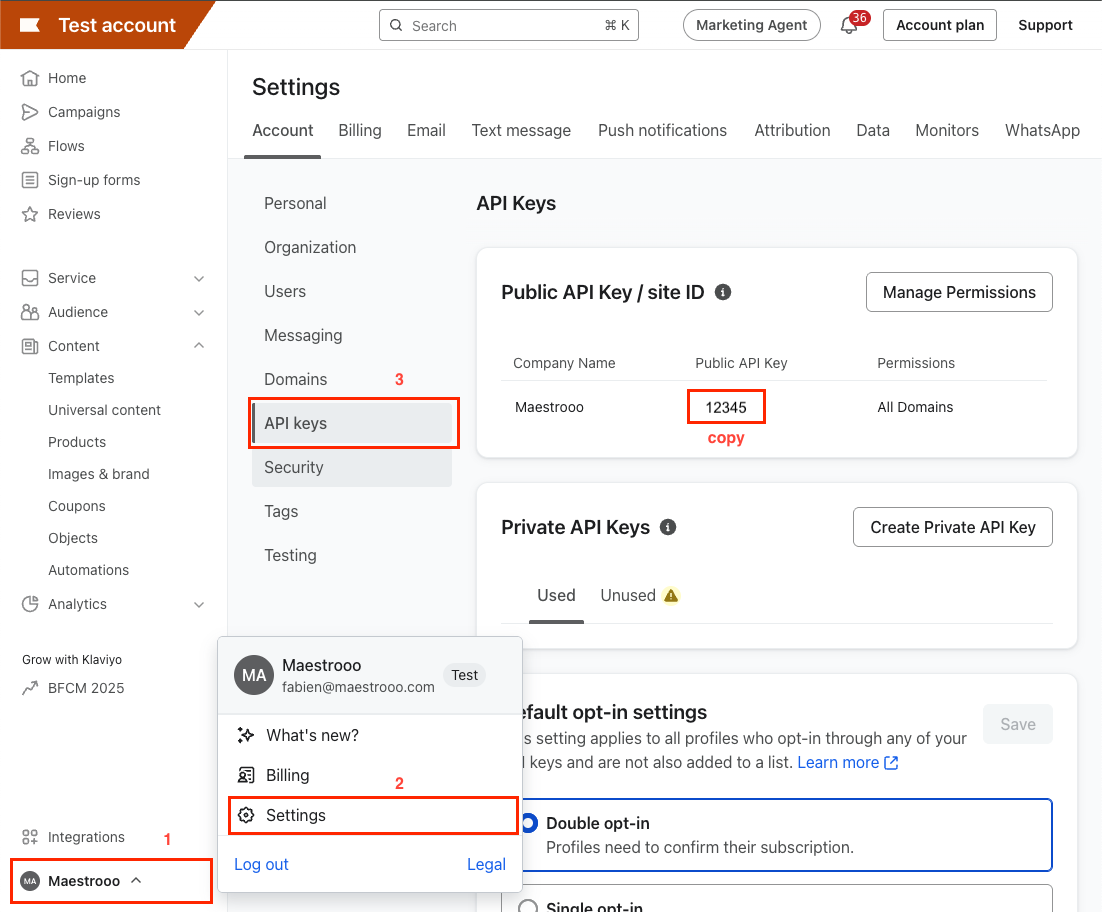
In Klaviyo, go to Settings → Account → API Keys and copy your Public API Key.
Step 2 — Connect Wishlist Power
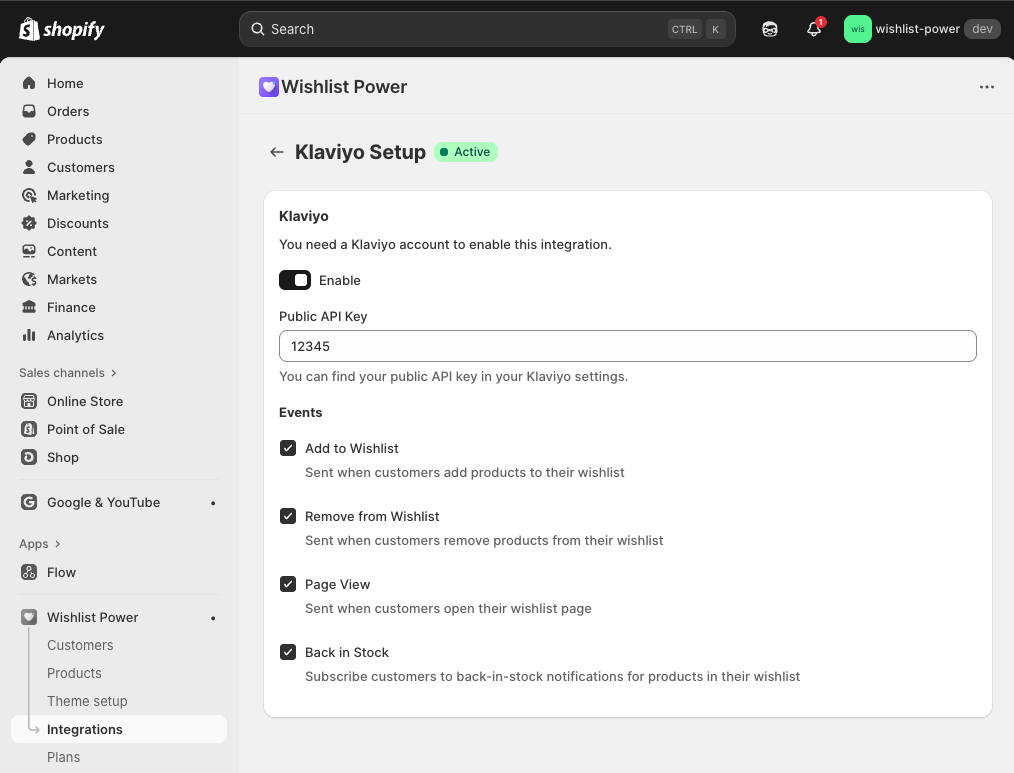
- From your Shopify admin, open Wishlist Power and go to Integrations → Klaviyo.
- Paste your Public API Key.
- Enable the integration.
- Select the wishlist events you want to sync.
- Save your settings.
Step 3 — Test the integration
- On your storefront, log into a customer account.
- Add a product to your wishlist.
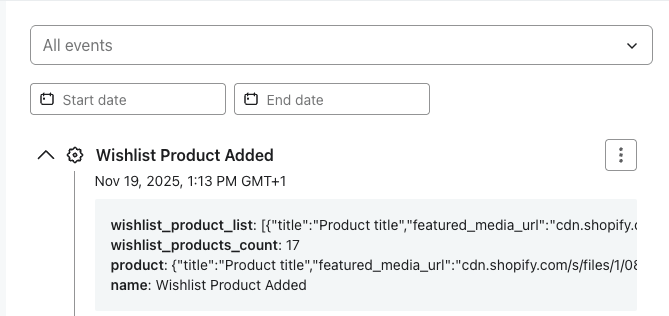
- Open that customer’s profile in Klaviyo and confirm that the event appears.
Go further
Follow Add wishlist items in email to display saved products inside your Klaviyo emails.