
Open the wishlist settings
In Shopify’s Theme Editor, open App embeds → Wishlist setup for the theme you want to configure.
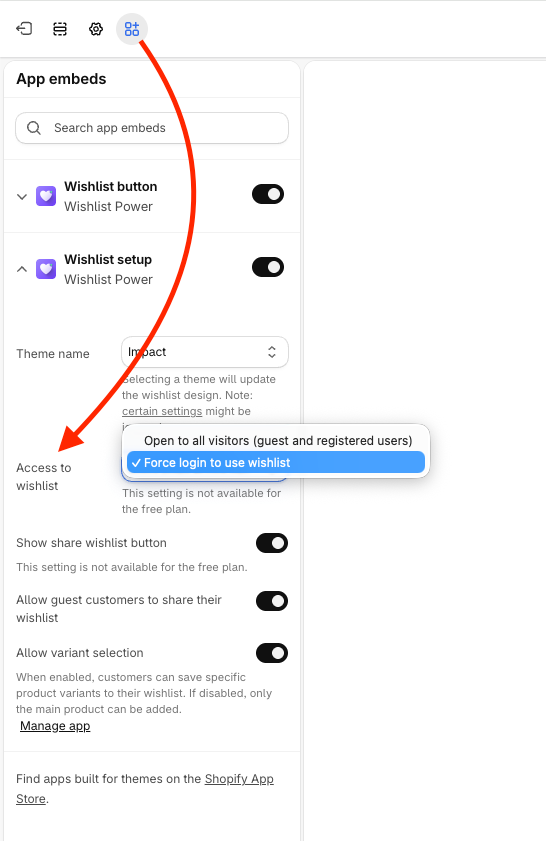
Choose who can use the wishlist
Under Access to wishlist, select the option that suits your store:
| Option | Who can use the wishlist |
|---|---|
| Open to all visitors (guest and registered users) | All visitors, including customers who are not logged in. |
| Force login to use wishlist | Only customers who are logged into their account. |
Access to wishlist is not available on the free plan.
Click Save in the Theme Editor to apply your changes.
To configure sharing, see Let customers share their wishlist.